The year is 2012.
A case manager calls. A rent payment went out to a landlord this morning, and the household moved out two weeks ago.
You open the shared drive and find the household on the Pending Move-Outs tab. The amount column says “$1593/2”. Half a month, or half from each grant? Nobody wrote down which. The column titled “Owner W9?” is blank.
You walk down the hall to QA to pull the paper file. The W-9 inside belongs to the property’s last owner, and the lease names a management company that isn’t on the roster at all.
Now you’re on the hunt; you jog down to Kim’s office. Kim is the accounting specialist who paid these rows highlighted in green. You start running through the report she hands you of checks that went out the door, and scanning row by row, somewhere around row 140 a moment of clarity arrives out of absolute desperation: there has got to be a better way.
The year wasn’t 2012; this story happened last month in a CoC.
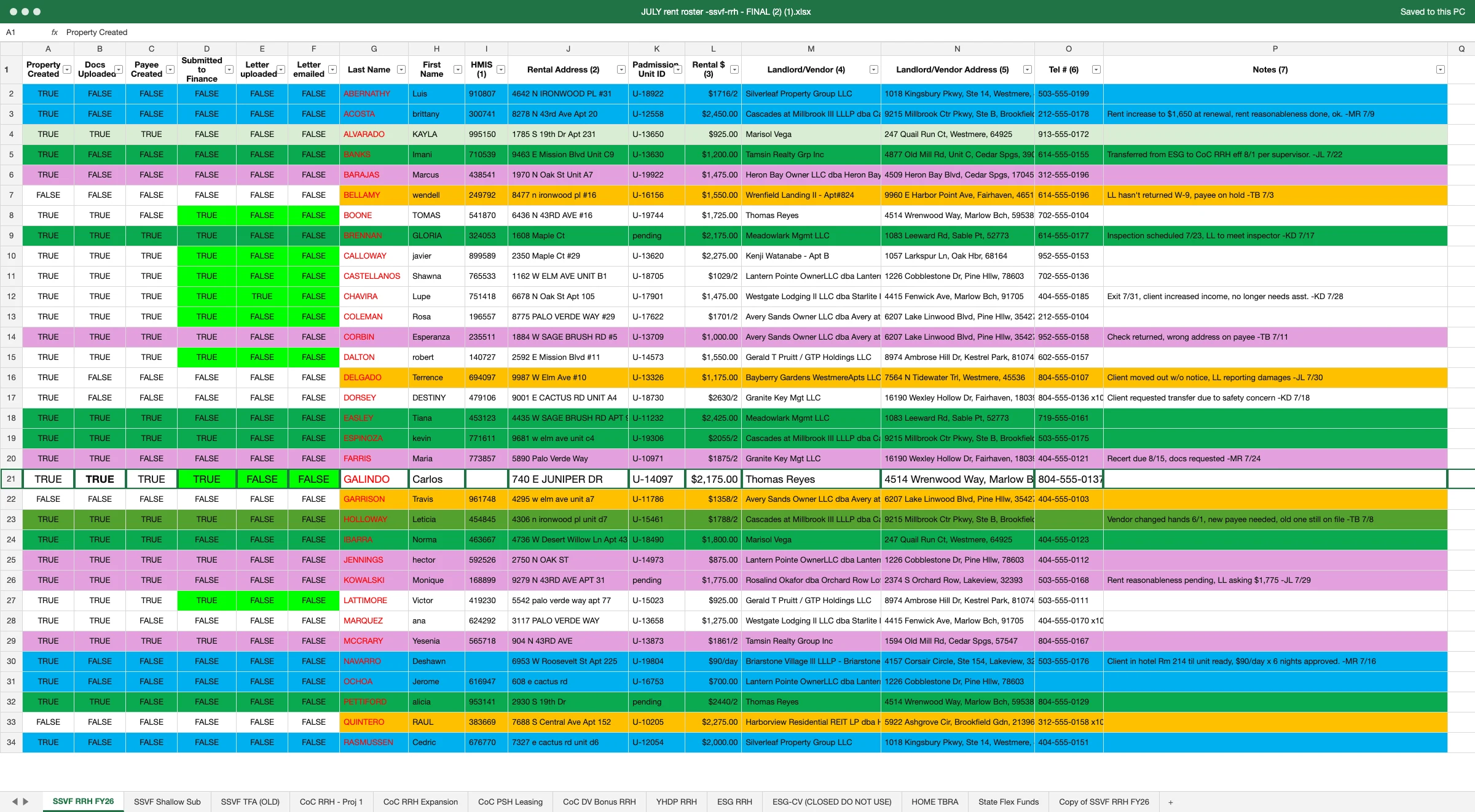
While the names and places in the rent roster at the top of the page aren’t real, the layout (and varying font sizes!) is. Anyone who has administered rental assistance will recognize it anyway: a July file saved as FINAL (2) (1), a tab for every grant, and a color code one coordinator could explain.
Four case managers keep it current. Accounting keeps a second file. Before any check goes out, someone has to confirm three things: the household is where the roster says it is, the payee is right, and the expense is one the paying grant allows. Last month’s payment missed all three: the household had moved out, the W-9 belonged to an owner who had sold, and nobody could say which grant “$1593/2” was charged to. A rental assistance spreadsheet can hold the answers to all three questions. It can’t tell you who gave them, or whether the third one changed when the household moved to a different tab.
Four case managers share one roster, and each reads it differently
A shared roster records that a step happened. It can’t record who completed it or when.
In the roster pictured, the status columns run left to right: property created, documents uploaded, payee created, submitted to finance, letter uploaded, letter emailed. Each one flips from FALSE to TRUE as a tenancy moves, and the TRUE overwrites everything before it. A row where the letter went out yesterday looks the same as one where it went out in March. A row stays green until someone changes it, and accounting pays green rows.
With one case manager, the gap is small, because that person remembers. With four, a TRUE in Submitted to Finance could belong to any of them, and the person covering a caseload during a vacation inherits rows without their history. Colors fill in what the columns can’t say. Blue might mark a new referral and purple a tenancy waiting on the landlord, until a second person uses purple for something else.
All of it has to be taught. A new case manager learns the color code from whoever sits nearest, learns which emails in the shared inbox to flag and for whom, and learns where to find what a cell said before someone overwrote it, which means scrolling back through the file’s version history or opening an older copy saved as FINAL (2). Each person who leaves takes part of that training with them, and the next one rebuilds it from the sheet.
RDOOR Housing Corporation is one of the partners behind HomeNow Indy, the coordinated rehousing system Indianapolis launched in 2020 with the Coalition for Homelessness Intervention and Prevention. Breya Birdsong, MPA, RDOOR’s Vice President of Rental Assistance Programs, described the result before her team moved to Journey:
“Having fragmented systems and relying on excel sheets managed by (multiple) people created significant gaps in tracking and keeping up with program needs.”
Accounting works from a second file, so every payment is checked twice
The roster says a payment is ready. Accounting has to find it again in its own records before anything is paid.
In most programs we’ve implemented, accounting keeps its own payment log, a vendor list with W-9s and the general ledger, and matches the roster to those by household name, landlord and amount. Every row marked Submitted to Finance becomes a lookup. Kim’s report of checks that went out is that second file, and finding one payment in it means reading it row by row.
The lookups fail in predictable places. The same landlord entered as “Tamsin Realty Grp Inc” on one row and “Tamsin Realty Group Inc” on another is two payees in any vendor list built from the roster. A management company that changed hands mid-year has a new payee on file in accounting and the old one on the roster. That is how the W-9 in a household’s file can belong to the property’s last owner. The note says “check returned, wrong address on payee,” and the fix has to be made in two files by two people.
At month-end the two files are reconciled against each other and against the draw. At HOM, Inc., where Journey was first built and which administers rental assistance for more than 5,000 households in Arizona, the handoff to accounting ran on paper before the switch. Stacy Petersen, an accounting specialist there, describes what replaced it:
“Before Journey, a housing specialist would submit a HAP release or a file with an FRC with payments. In contrast, when a payment is ready and approved in Journey, the payment appears within process transactions to be paid. This process is a more efficient, digitized approach that has reduced our reliance on paper forms and files.”
The same expense is eligible for one household and not the next
Whether a grant can pay for something depends on the program, the project and the funding source behind the tenancy, and on a spreadsheet that rule lives in someone’s head.
The tabs carry the funding source: SSVF RRH, CoC RRH, ESG RRH, State Flex Funds. The rules that come with each tab are written nowhere on the sheet. If you run ESG, CoC and local flex dollars from one roster, two households in the same building can ask for the same thing and get different answers, and both answers can be correct.
Rent is the clearest case. Under 24 CFR 576.106(d)(1), Emergency Solutions Grants (ESG) rental assistance cannot be provided unless the rent is at or below the Fair Market Rent (FMR) and reasonable. In Continuum of Care (CoC) rental assistance, the FMR sizes the grant and each unit’s rent is tested for reasonableness under 24 CFR 578.51(g). A household paid from local flex dollars follows whatever terms the local funder set. A $1,650 rent can be ineligible on the ESG tab, eligible on the CoC tab after a reasonableness check, and payable from the flex tab if the local terms allow it, depending on the program.
Damages work the same way. “Client moved out w/o notice, LL reporting damages” is one note with two different answers. CoC rental assistance can pay for property damage once, at exit, up to one month’s rent, under 578.51(j). ESG’s list of eligible financial assistance costs at 24 CFR 576.105(a) covers rental application fees, security deposits, last month’s rent, utility deposits, utility payments and moving costs, and damages aren’t on it. In practice, a program that covers damages on an ESG tenancy pays them from another source, usually local flex dollars.
On a spreadsheet, the case manager who requests the payment and the accountant who releases it each have to know the rule for that tab, and nothing on the sheet checks that they agree. When a household transfers from ESG to CoC midway through a lease, the rule changes on the date of the transfer, and the row on the new tab doesn’t carry that date with it. “$1593/2” is what that looks like a month later: a split someone understood when they typed it.
The notes column holds the compliance record
The most important information on the roster is in the one column nobody can filter.
“Rent increase to $1,650 at renewal, rent reasonableness done, ok.” “Transferred from ESG to CoC RRH eff 8/1 per supervisor.” “Client in hotel Rm 214 til unit ready, $90/day x 6 nights approved.” “Exit 7/31, client increased income, no longer needs asst.” Each note records a decision, the person who made it and, usually, a date. When the note isn’t written, the decision ends up in the amount column as “$1593/2”, or in an email in the shared inbox.
24 CFR 578.103(a) requires “sufficient records to enable HUD to determine whether” a program meets Part 578, including, for each participant, “the services and assistance provided to that program participant” and, “where applicable, compliance with the termination of assistance requirement.” Paragraph (c) keeps those records for at least five years. On the roster, they are sentences in cells, spread across five years of July files.
The same column holds things that shouldn’t be in a shared file at all. “Client requested transfer due to safety concern” is visible to all four case managers, to accounting and to anyone the file is forwarded to. Paragraph (b) of the same section requires written procedures to ensure that records containing a participant’s identifying information “will be kept secure and confidential.” A general notes column has one setting for everyone who can open it.
Journey answers the three questions on one household record
Padmission Journey puts case managers and accounting on the same record for each household.
The tenancy carries its project and funding source, and every transaction is coded to the project that pays it. A household with ongoing rent from one project and deposits or other costs from a flex fund has both on the same record, and a transfer between projects keeps a single history. Steps that the roster tracks in TRUE and FALSE are tenancy actions in Journey, and payments move through review and approval with the full history of who requested, reviewed and approved each one. Accounting works the payments from the same place. Landlords and management companies are entered once, with their payment accounts and W-9s on the owner or company record.
On a household record, last month’s phone call has an answer on one screen: when the household moved out, who requested, reviewed and approved the payment, which payee and W-9 it went to, and which project paid it.
No more pulling reports to see where the money is and why. Journey runs in a web browser, and you look at live data from the same records: each grant’s spending against its budget, with the month it is projected to run out, and the month’s rent payments before accounting closes the period.


For programs administering assistance across several providers, the same record is what makes centralized rental assistance workable. If your roster looks like the one at the top of this page, we can walk through how it would move, using your own tabs and columns.
Welcome to 2026, HEARTH Act housing programs. You’re going to like it here.
Frequently asked questions
What’s the most spreadsheets one staff member has retired after their community switched to Journey?
57. (You know who you are!)
Why does a shared rental assistance roster lose track of who did what?
Because each status column holds one value. When a case manager flips Submitted to Finance from FALSE to TRUE, the sheet keeps the TRUE and drops who changed it and when. With four case managers on one file, any of them could have made the change, and a row finished yesterday looks the same as one finished in March.
Why does accounting check every payment twice?
Accounting pays from its own payment log and vendor list, so each row the roster marks as ready has to be found again there by household name, landlord and amount. A landlord spelled two ways becomes two payees, and a correction such as a new payee address has to be made in both files by two people.
Can the same expense be paid for one household and not the next?
Yes, when the two households are paid from different funding sources. ESG rental assistance cannot pay rent above the Fair Market Rent (24 CFR 576.106(d)(1)), and ESG’s list of financial assistance costs has no line for damages (24 CFR 576.105(a)). CoC rental assistance can pay for damages once, at exit, up to one month’s rent (24 CFR 578.51(j)). Local flex dollars follow the local funder’s terms.
Is it a problem to keep case notes in a shared spreadsheet?
It can be. 24 CFR 578.103(b) requires written procedures to keep records with a participant’s identifying information secure and confidential, and a notes column is visible to everyone who can open the file. Those notes are also part of the program’s record: 24 CFR 578.103(c) requires CoC records to be kept for at least five years.
What takes the spreadsheet’s place in Journey?
One record for each household. The tenancy carries its project and funding source, payments move through review and approval with the history of who requested, reviewed and approved each one, and accounting works the payments from that same record. Landlords and management companies are entered once, with their payment accounts and W-9s.
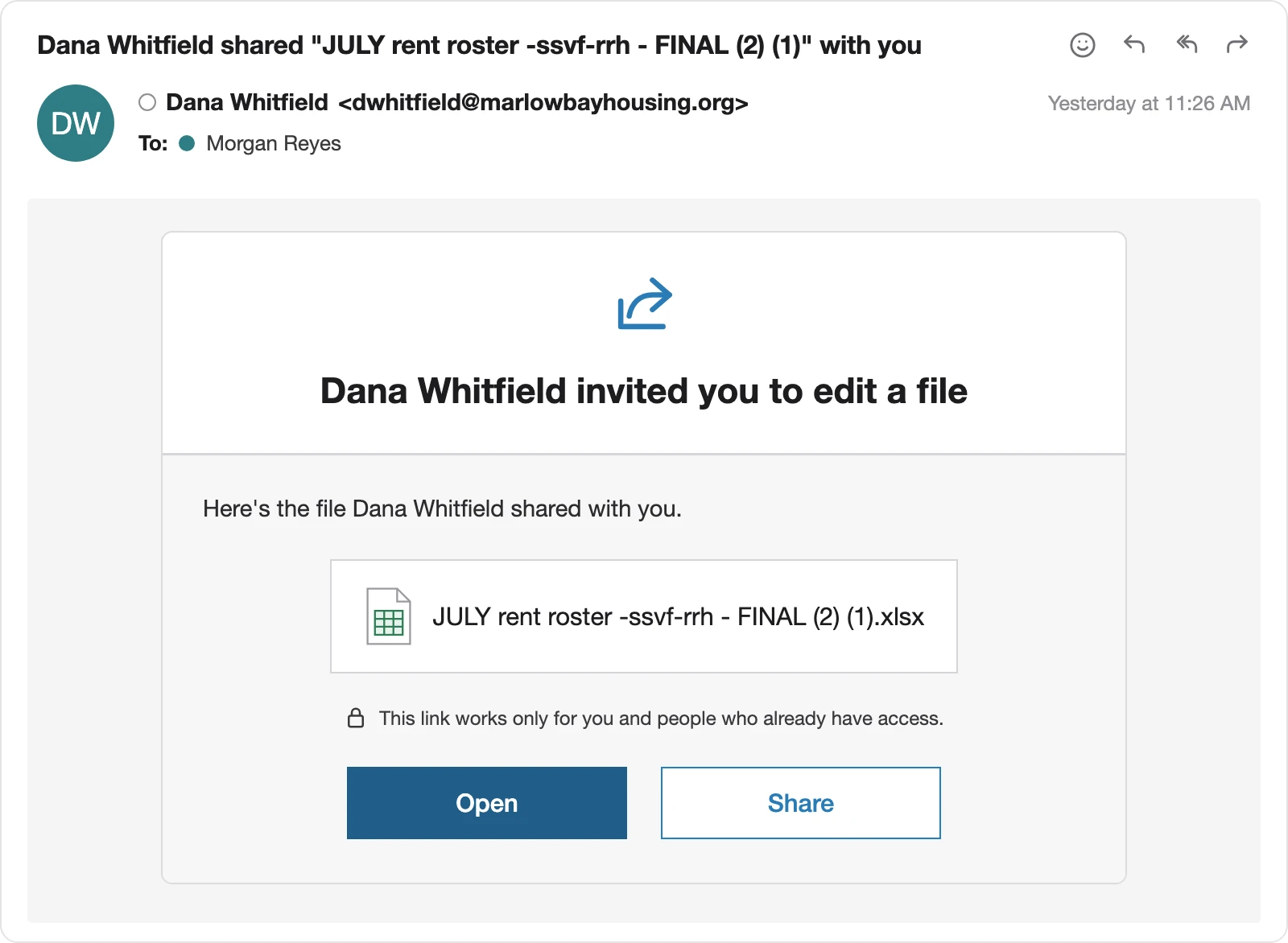
Regulatory citations in this article were verified against the eCFR as of October 9, 2026. The rent roster and the share email pictured are illustrative; every name, address and note in them is fictional. Nothing here is legal advice, and where your HUD field office has issued written guidance on a point, that guidance governs.
Sources
- 24 CFR 576.106 — Rental assistance (ESG), paragraph (d)(1), verified 7 October 2026
- 24 CFR 576.105 — Housing relocation and stabilization services: financial assistance costs, paragraphs (a)(1) to (a)(6), verified 9 October 2026
- 24 CFR 578.51 — Rental assistance (CoC), paragraphs (g) and (j), verified 7 October 2026
- 24 CFR 578.103 — Recordkeeping requirements, paragraphs (a), (a)(8), (b) and (c), verified 9 October 2026
- Breya Birdsong, RDOOR Housing Corporation (HomeNow Indy), interview responses, September 2026
- Stacy Petersen, HOM, Inc., interview, August 2026